One runtime, every store: rebuilding Zyvlon as a multi-tenant commerce engine
Zyvlon's next generation serves every merchant from one storefront runtime. Stores are resolved by hostname, rendered by the template they chose, changed through declarative manifests, and deployed on Dokploy with wildcard domains, a durable job queue and a zero-reset migration from MongoDB.
Why Zyvlon needed a new engine
Zyvlon started as a polished storefront and grew into a platform: free stores on a subdomain, custom domains, a merchant dashboard, SEO controls and payments. We wrote about that product shift in how Zyvlon became a commerce platform.
A platform has a different job from a storefront. It has to serve hundreds of stores at once, keep each merchant's data isolated, let every store look different, attach domains without anyone touching a server, and survive deploys without breaking a shop that is taking orders.
The original codebase had carried the product a long way, but those jobs were spread across one large application. So we rebuilt the engine underneath, while keeping the Zyvlon interface merchants and shoppers already know.
The shape of the new platform
The rebuild is a monorepo with four applications and a set of shared packages:
| Piece | Job |
|---|---|
| web | The storefront runtime. One deployment serves every store. |
| admin | The merchant dashboard and onboarding. |
| landing | The Zyvlon marketing site. |
| site-manager | A headless service that applies design changes, verifies and attaches domains, and monitors store health. |
The shared packages hold everything the apps agree on: the PostgreSQL schema (Prisma 7), the template and site manifest contracts, a template kit, core business logic (tenancy, plans and entitlements, money, cart, storefront loaders), a durable job queue, and authentication (Better Auth).
The rule is simple: apps are thin, and the rules of the business live in packages that every app shares.
How a request becomes a store
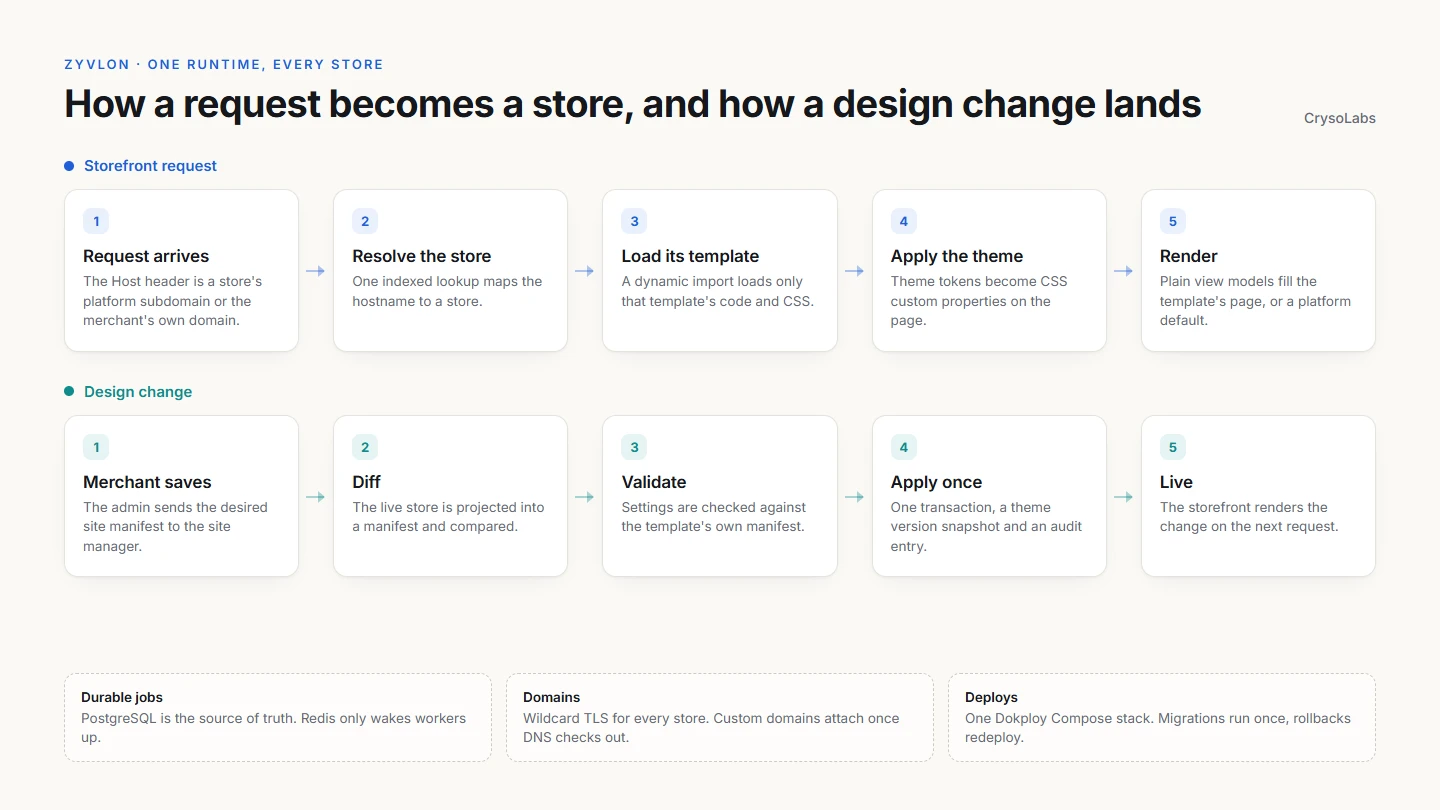
Every storefront request follows the same five steps:
- A request reaches web with a
Hostheader: a store's platform subdomain, or the merchant's own domain. - One indexed database query resolves that hostname to a store.
- The store's template is dynamically imported. Only that template's code and CSS are loaded, so a store using one template never pays for the others.
- The store's theme tokens become CSS custom properties on the page.
- The route loads its data, maps it into plain view models, and renders the template's version of that page. If a template doesn't provide a page, a platform default fills in.
That last point matters. Templates never touch the database. They receive view models and style the cart and checkout primitives from the template kit. A template author can design a beautiful product page without being able to break the order logic underneath it.
Templates as products
Zyvlon ships three templates today:
- Premium Commerce, the standard Zyvlon storefront and the default for new stores
- POT.lk Editorial Studio, which owns its own home page and uses a neutral shell for platform pages
- ComputorShop Hero Spotlight, with a 3D hero and a bestseller carousel
Adding a template is deliberately boring. It is a folder that exports a manifest and a map of the pages it provides, plus one line in the storefront's template registry and one import in the site manager.
The manifest also declares the template's settings. Those settings appear in the merchant's Design form automatically, validated against the manifest, without any extra dashboard code.
Design changes as manifests
In most store builders, saving a design writes straight into a pile of database rows. In Zyvlon, a design change is a declarative document.
When a merchant saves the Design page:
- The admin sends the desired site manifest to the site manager.
- The site manager builds a manifest from the store's live data and compares the two.
- It validates the new settings against the template's manifest.
- It applies only the difference, in a single transaction, snapshotting a theme version and writing an audit entry.
- The storefront shows the change on the next request.
Saving an identical manifest does nothing. Every change has a version to roll back to. Anything slow, like attaching a domain to the proxy, is queued instead of making the merchant wait.
Domains without tickets
Every store gets its own platform subdomain the moment it is created. A single wildcard TLS certificate covers all of them. Let's Encrypt only issues wildcards through a DNS challenge, so the proxy is configured with the DNS provider to handle that.
Custom domains take a few more steps, and the dashboard shows the merchant exactly what to add:
- a TXT record to prove they own the domain
- a CNAME to the storefront target, or an A record for an apex domain
The site manager watches DNS. Once the records check out, it attaches the domain to the storefront service through the Dokploy API, and TLS follows. Until then, the domain sits in an awaiting DNS state with a clear note in the dashboard, and the store keeps working on its platform subdomain.
A queue that cannot lose work
Domain attachment, health checks and other slow tasks run through a small durable queue with one firm rule: PostgreSQL is the source of truth, and Redis is only a wake-up signal.
- Jobs are rows in the database, so a job exists the moment its transaction commits.
- Redis, when available, wakes workers up immediately. Without it, workers poll PostgreSQL and everything still runs, just with slightly more latency.
- Job claims are atomic, and scheduled work carries idempotency keys, so running more than one site-manager replica is safe.
Losing Redis costs a few seconds, not data.
Deploying on Dokploy
The whole platform deploys as one Docker Compose stack on Dokploy: four services, PostgreSQL and Redis.
A few decisions keep deploys calm:
- Migrations run once. A dedicated migrate service runs
prisma migrate deployand exits, and every other service waits for it. The apps never migrate on startup, because with several replicas that would be a race. - Migrations are additive. Rolling back means redeploying the previous commit, and the previous version still works against the newer schema.
- The storefront is stateless. Scaling is just more replicas of web.
- Images build with no secrets. No module reads the database URL or auth secret at import time, and database-backed pages render per request. If anything breaks that rule, the build fails immediately instead of shipping a hidden dependency.
- Health is explicit. Each public app exposes a health endpoint, and every service writes structured JSON logs.
The same Compose file runs unchanged on a developer's machine with Docker Desktop. Two small overlay files publish the ports and add a local database, so the team rehearses the production stack instead of trusting that dev and prod behave the same.
Data rules that hold at scale
A multi-tenant database is only as safe as its conventions. Zyvlon's are strict:
- Every tenant-owned row carries both an
organization_idand astore_id, with real foreign keys. - Every storefront query is scoped by store.
- Primary keys are UUIDv7, so IDs sort by creation time.
- Money is stored as
Decimal(12,2)and carried as strings, never as floating-point numbers.
These are the kind of rules nobody notices until the day they save you.
Moving from MongoDB without resetting anyone
The previous platform ran on MongoDB. Moving to PostgreSQL could have meant asking every merchant to start over. Instead, we built a dedicated migration package that runs in two phases: export wherever MongoDB is reachable, then import wherever PostgreSQL is.
The details are what make it safe:
- Nobody resets a password. Existing bcrypt hashes are imported as they are. Sign-in checks old hashes with bcrypt and new ones with scrypt.
- History keeps its order. Every migrated row records its old ID, and new UUIDv7 IDs are derived from the original timestamp.
- Orders stay recognisable. Each store's orders are renumbered from #1001, and the old order code is kept alongside.
- Stock becomes a ledger. Old stock counts become inventory levels with an opening ledger entry, so every future change is traceable.
- Nothing disappears silently. Data that is deliberately not migrated, such as old sessions or retired features, is listed with counts in an import report.
Keeping the interface merchants know
A rebuild is a bad trade if users have to relearn the product. So the Zyvlon interface was carried over file by file instead of redesigned: the storefront templates, the dashboard layout, and the login and landing pages.
A shared UI package holds the original component set, theme and fonts. A small adapter layer feeds the new data into the old component shapes, so the markup stays untouched while everything underneath is new.
The storefronts, the core dashboard pages and the landing site already run on the new engine. The remaining dashboard sections are being moved over the same way, one at a time.
What this unlocks
The rebuild changes what Zyvlon can promise:
- a new store is live on its own subdomain the moment it is created
- templates can be added without touching the platform
- design changes are versioned, audited and reversible
- custom domains attach themselves once DNS is correct
- the storefront scales horizontally, and deploys roll back cleanly
The same architecture works for any product that serves many customers from one codebase: booking platforms, school systems, franchise sites or white-label SaaS. If that is what you are building, start with tenancy, templates and deploys. The interface is the part everyone sees. The engine is what lets it grow.
The CrysoLabs editorial desk - shipping notes from the build floor.
Keep reading
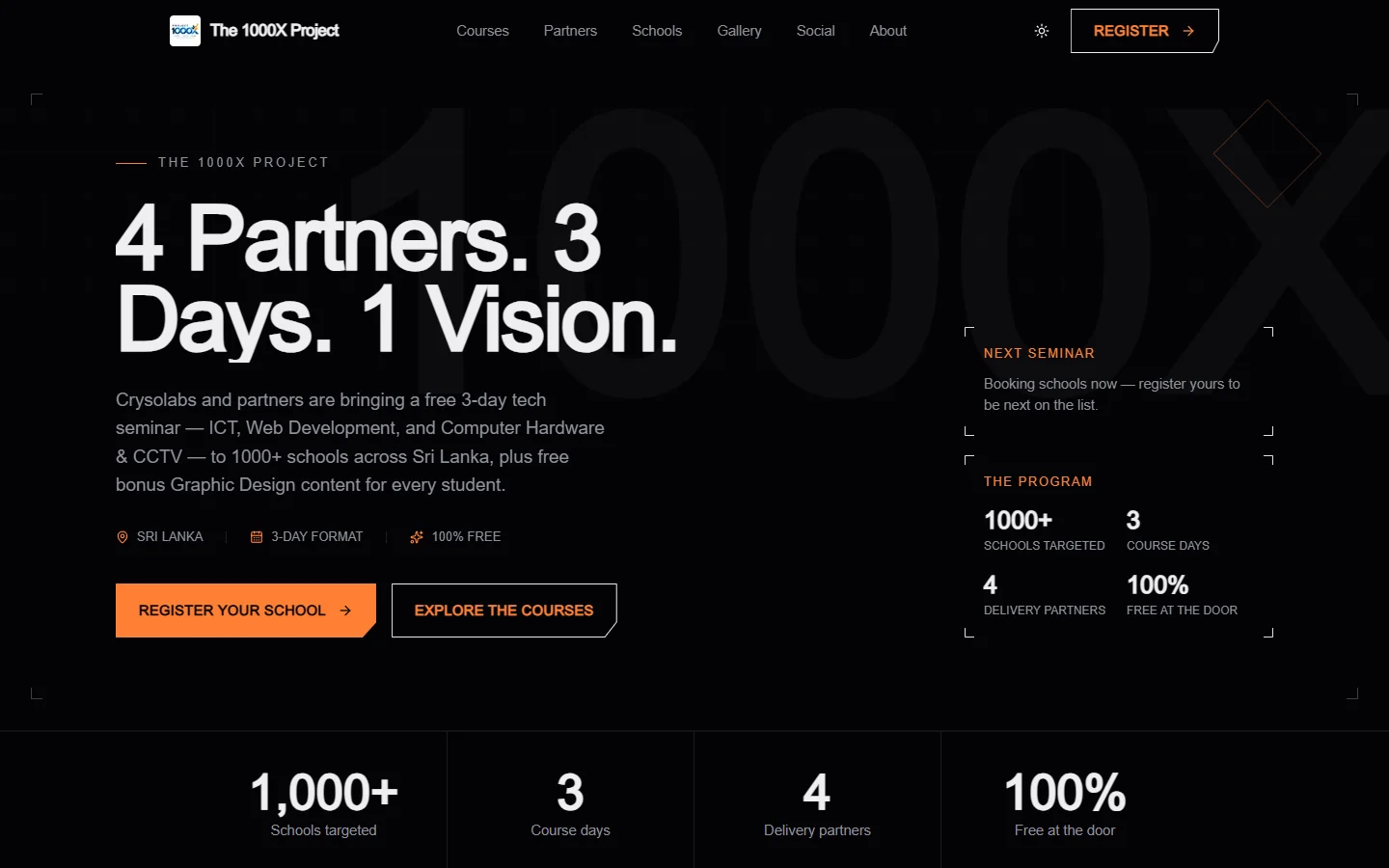
How we built The 1000X Project platform: one site for 1000+ schools
The 1000X Project takes a free tech seminar to more than 1000 schools across Sri Lanka. Here is how we built its platform: a public site, a school and student operations panel, a gallery and finance system, and a full LMS with exams, payments and verifiable certificates.

Building Clodynix: A Developer-Friendly CDN Platform and SDK
A CrysoLabs engineering case study on Clodynix, a TypeScript CDN SDK paired with a Next.js dashboard, auth system, application tokens, documentation, and CDN file workflows.